
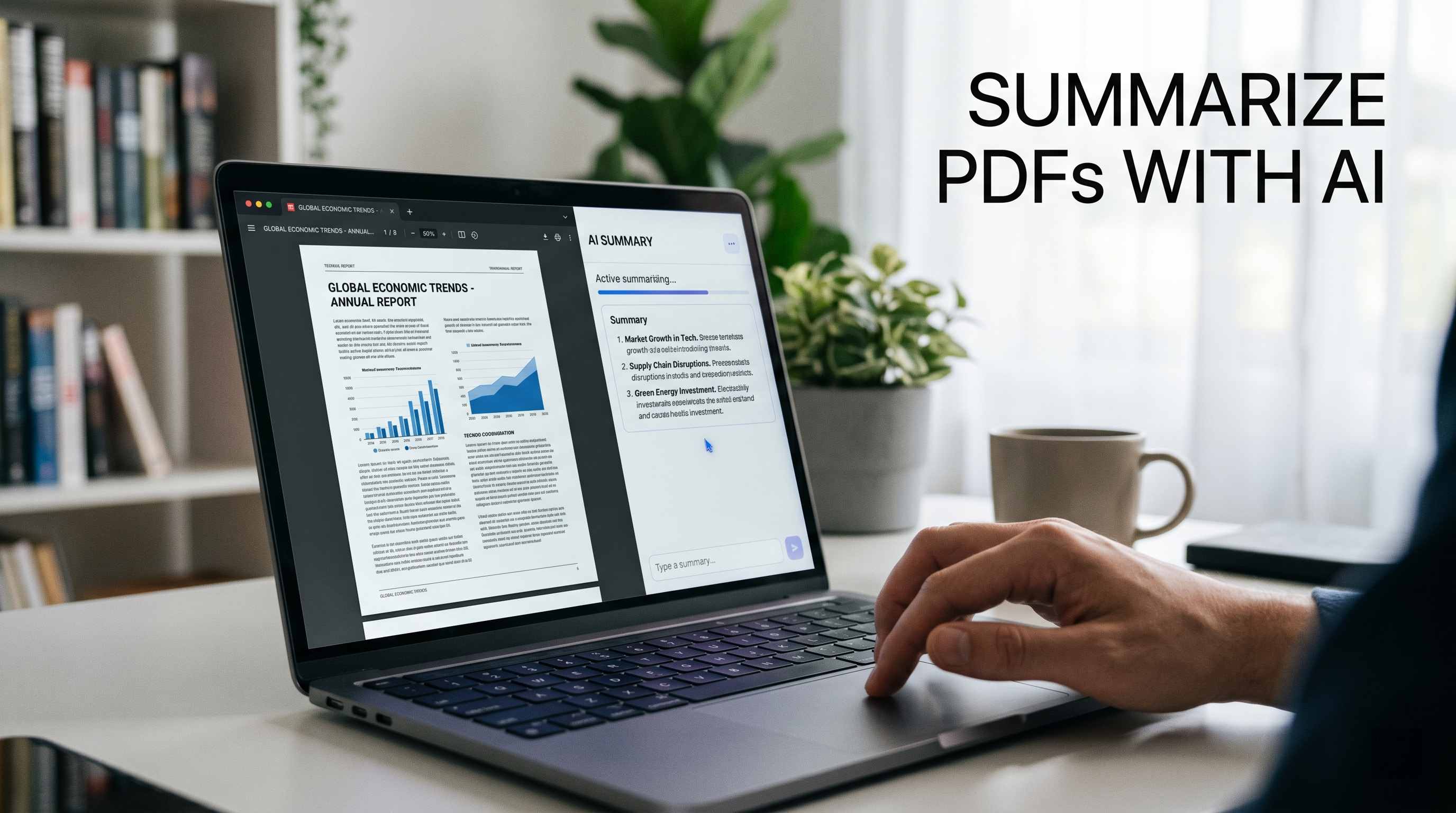
How to Summarize a PDF With AI (Free Tools + Prompts That Actually Work)
Most people searching for a free PDF summarizer are about to be disappointed. The tool caps them at two uploads per day, locks the export button behind a paid plan, or produces a five-sentence blob that misses everything that mattered. I've tested over a dozen of these tools, and I've found that the real power isn't in dedicated summarizer apps — it's in using ChatGPT, Claude, or Gemini with the right prompt. Here's exactly how to do it, for free, starting right now.
Why Most Free PDF Summarizers Fail
Most dedicated PDF summarizer tools fail because they were built to convert, not to understand. They extract the first few hundred words, remove formatting, and call it a summary. The result reads like a table of contents with no depth.
The core problem: these tools treat every PDF the same way, whether it's a 10-page contract, an 80-page academic paper, or a 200-page annual report. There is no one-size-fits-all summary — and any tool that doesn't let you specify format, length, or purpose is already working against you.
On top of that, the truly useful features — export to notes, question-and-answer mode, multi-document synthesis — are almost always locked behind paid plans. The 'free' tier exists to make you frustrated enough to upgrade.
Here's my contrarian take: stop looking for a dedicated PDF summarizer. Use a general-purpose AI with a good prompt. You already have access to ChatGPT, Claude, or Gemini for free. With the right prompt structure, they outperform every purpose-built summarizer I've tested.
The Best Free AI Tools to Summarize PDFs in 2026
The honest answer: the best free PDF summarizer in 2026 depends on what you're working with. Here's my actual ranking after testing each one on the same document types.
1. Claude (Anthropic) — Best for Long, Complex PDFs
Claude Sonnet 4.6 handles up to 200K tokens in its context window, which means it can read a full-length textbook, legal brief, or technical manual without chunking. For long-document summarization, nothing on the free tier comes close. Upload a PDF directly on claude.ai, and it processes the full file — not a truncated version.
• Free tier: Yes, with generous limits
• PDF upload: Direct upload supported
• Best for: Contracts, academic papers, long reports, technical docs
• Weakness: No built-in flashcard or audio export
2. Google NotebookLM — Best Free Tool for Research Notes
NotebookLM is completely free, uses Gemini, and allows up to 50 source documents per notebook. Every summary it generates is linked back to the source passage — which matters enormously when you need to verify a claim. It even generates podcast-style audio discussions from your PDFs, which I find oddly useful on commutes.
• Free tier: Fully free, no upload limits
• PDF upload: Direct upload supported
• Best for: Research synthesis, literature reviews, studying
• Weakness: Interface can feel heavy for casual use
3. ChatGPT — Best for PDFs with Tables and Images
ChatGPT handles multimodal content better than Claude for PDFs that contain charts, tables, and embedded images. The free tier allows PDF uploads, and GPT-4o processes visual elements within documents that text-only models miss.
• Free tier: Yes, with daily limits
• PDF upload: Supported on free tier
• Best for: Annual reports, slide-deck PDFs, mixed media documents
• Weakness: Shorter context than Claude for very long documents
4. NoteGPT — Best for Turning PDFs into Mind Maps
NoteGPT generates mind maps alongside text summaries and works across PDFs, videos, and web content. The free tier is capped at 15 quotas per month, which goes fast, but the output format is genuinely useful for studying.
How to Summarize a PDF to Notes Using ChatGPT, Claude, or Gemini
The workflow is simple and takes under two minutes. The part that most people skip — and that determines 80% of the output quality — is the prompt.
1. Go to claude.ai, chatgpt.com, or gemini.google.com (free accounts work)
2. Click the file/attachment icon and upload your PDF
3. Paste a structured prompt (see examples below) — do not just say 'summarize this'
4. Ask follow-up questions to drill into specific sections
5. Export or copy the output to your notes app
One test worth knowing about: a researcher ran the same 121-page Amazon investor filing through Gemini, ChatGPT, and Claude using an identical prompt. The results were measurably different — Claude produced the most structured, section-aware summary, while the others missed key financial details buried mid-document. The quality gap is real, and it widens as documents get longer.
Bad Prompts vs Good Prompts: The Difference Is Bigger Than You Think
This is the section most prompt guides skip. A vague prompt gets a vague summary. A structured prompt gets output you can actually use. I'll show you both.
Use Case 1: Basic PDF Summary
BAD PROMPT
Summarize this PDF.
Why it fails: The AI has no idea what format you want, how long the summary should be, or what you care about. You'll get a generic three-paragraph blob that reads like a Wikipedia stub.
GOOD PROMPT
You are a professional document analyst. I have uploaded a PDF. Please summarize it using this exact structure: 1. One-sentence core argument or purpose 2. Five key points (bullet format) 3. Any important numbers, dates, or named entities 4. One thing the document does NOT address that readers might expect Keep the total summary under 300 words. Use plain language.
Why it works: You've given the AI a role, a format, a length constraint, and a critical-thinking task. The output is structured, scannable, and actually useful.
Use Case 2: Summarize PDF to Study Notes
BAD PROMPT
Make notes from this PDF.
Why it fails: 'Notes' means different things to different people. The AI will guess — usually badly — and give you a shortened version of the text with no learning structure.
GOOD PROMPT
You are an expert study coach working with a university student. Convert this PDF into structured study notes using this format: ## [Chapter or Section Title] - Key concept: [definition or explanation] - Why it matters: [one sentence] - Example from the document: [quote or paraphrase] After the notes, add: EXAM QUESTIONS: 5 questions a professor might ask about this material TERMS TO MEMORIZE: Any technical terms with one-line definitions Format everything in Markdown so I can paste it directly into Notion or Obsidian.
Why it works: The AI knows the audience (student), the purpose (exam prep), the structure (per-section notes), and the output format (Markdown for notes apps). This one prompt replaces two hours of manual highlighting.
Use Case 3: Summarize a Legal Document or Contract
BAD PROMPT
What does this contract say?
Why it fails: You'll get a paraphrase of the document's opening paragraphs, not the critical clauses buried on page 14. Legal PDFs are written to obscure, not to inform — and a vague prompt plays into that.
GOOD PROMPT
You are a contract review assistant helping a non-lawyer understand a legal agreement. Read the uploaded PDF and extract: 1. PARTIES: Who is signing this and in what roles? 2. KEY OBLIGATIONS: What must each party do? (Bullet per party) 3. PAYMENT TERMS: Any fees, deadlines, or penalties mentioned 4. TERMINATION: Under what conditions can either party exit? 5. RED FLAGS: Any clauses that are unusual, one-sided, or potentially harmful 6. WHAT'S MISSING: Any standard clause you'd expect that isn't here Flag any section where the language is ambiguous. Do not give legal advice — just explain what the document says in plain English.
Why it works: You've given the AI a specific lens (non-lawyer perspective), a structured output (6 named sections), and a critical task (flag red flags and gaps). Testing an 18-page contract this way takes 3 minutes versus the 15+ minutes of manual reading.
Advanced Prompts: Summarize PDF by Section, Audience, or Format
Once you're comfortable with the basics, these advanced prompts unlock output that dedicated PDF tools can't match.
Example 1 — Executive Briefing (For Sharing With a Boss or Client)
BAD PROMPT
Give me a summary I can share with my team.
Why it fails: No context about the team, their expertise, or what they need to know. The AI will produce a generic summary, not a briefing.
GOOD PROMPT
Role: You are a senior business analyst preparing a briefing for a C-suite executive. Document: [uploaded PDF] Audience: Non-technical executive who has 5 minutes to read Output format: HEADLINE (1 sentence — what does this document conclude?) SITUATION (2-3 sentences — what problem or context does it address?) KEY FINDINGS (3 bullet points — most important takeaways) RECOMMENDED ACTION (1-2 sentences — what should leadership do next?) RISKS (any concerns or caveats from the document) Avoid jargon. Use plain business language. No filler.
Why it works: The prompt specifies audience, reading time, and a business decision framework. The output is immediately shareable without editing.
Example 2 — PDF to Flashcards (For Studying or Teaching)
BAD PROMPT
Turn this into flashcards.
Why it fails: No guidance on quantity, depth, or format. You'll get 5 weak cards that cover only the introduction.
GOOD PROMPT
You are a learning designer creating Anki flashcards from an academic PDF. Generate 20 flashcards using this format: Q: [Question — specific, testable, one concept per card] A: [Answer — 1-3 sentences maximum, no fluff] Rules: - Cover all major sections of the document - Prioritize definitions, processes, comparisons, and key figures - Include at least 3 cards that test cause-and-effect relationships - Avoid questions with obvious answers Output as a numbered list. I will import this into Anki.
Why it works: Specific quantity (20), format (Q/A), rules (cause-and-effect, no obvious answers), and import destination (Anki). The AI has everything it needs to produce cards you can actually study from.
Example 3 — Research Paper to Literature Review Entry
BAD PROMPT
Summarize this research paper.
Why it fails: Research papers have a specific structure — abstract, methodology, results, limitations — and a generic summary will collapse all of it into two vague paragraphs.
GOOD PROMPT
You are helping me write a literature review for my master's thesis. For the uploaded research paper, extract: 1. CITATION INFO: Authors, year, journal, title 2. RESEARCH QUESTION: What did this paper set out to answer? 3. METHODOLOGY: How did they collect and analyze data? (2-3 sentences) 4. KEY FINDINGS: Top 3 results with specific numbers where available 5. LIMITATIONS: What did the authors acknowledge as weaknesses? 6. RELEVANCE TO MY TOPIC: How this connects to [insert your thesis topic] Format for direct insertion into an APA-style literature review. Flag any claims that seem unsupported by the data.
Why it works: The AI knows the academic context, the purpose (thesis), the required structure, and even the output style (APA). This prompt alone saves 30-45 minutes per paper in a literature review.
For more copy-paste-ready prompts like these, check out the free prompt library at PromptAILearning — there's an entire collection built around document analysis and research workflows.
Frequently Asked Questions
What is the best free AI to summarize a PDF?
Claude (claude.ai) is the best free AI for summarizing long, complex PDFs in 2026. Its 200K token context window processes full-length documents without truncation. Google NotebookLM is the best free option for research and academic documents because it links every summary sentence back to the source. ChatGPT's free tier is strong for PDFs with tables and images.
How do I summarize a PDF to notes online free?
Upload your PDF directly to claude.ai, chatgpt.com, or gemini.google.com — all offer free tiers with PDF upload support. Paste a structured prompt specifying format (bullet notes, flashcards, section-by-section) and output length. The AI will return structured notes you can copy directly into Notion, Obsidian, or any notes app.
Can ChatGPT summarize a PDF for free?
Yes. ChatGPT's free tier supports PDF uploads using GPT-4o, with daily usage limits. It handles most documents under 100 pages well. For longer PDFs (400+ pages), Claude's larger context window produces more complete summaries. For very long documents, summarizing chapter-by-chapter and then combining is more reliable than a single all-at-once prompt.
Does Adobe have an AI PDF summarizer?
Adobe Acrobat includes AI Assistant, which can summarize PDFs and answer questions about them. However, AI Assistant is only available on paid Acrobat plans (starting around $23/month). For free summarization, Claude, NotebookLM, and ChatGPT's free tiers offer comparable or superior output at no cost.
How do I summarize a PDF without signing up?
Several tools allow PDF summarization without an account. ChatPDF allows 2 free PDFs per day with no sign-up required. Summarizer.org processes short documents without login. For more reliable and unlimited access, a free Claude or ChatGPT account takes under two minutes to create and unlocks significantly better output quality.
What is the best prompt to summarize a PDF?
The best PDF summary prompt includes four elements: a role for the AI (e.g., 'You are a document analyst'), a specific output structure (numbered sections or named headers), a word or length limit, and a critical-thinking task (e.g., 'flag anything missing or unusual'). Vague prompts like 'summarize this' consistently produce worse output than structured ones that specify format and purpose.
Can AI summarizers handle scanned PDFs?
Standard AI PDF summarizers require text-based PDFs. Scanned documents (image-based PDFs) need OCR processing first. Tools like Manus and some paid tiers of Smallpdf include OCR. For free OCR on scanned PDFs, run the file through Adobe Acrobat's free online OCR tool first, then upload the resulting text-based PDF to Claude or ChatGPT.
How accurate are AI PDF summaries?
Accuracy is high for well-structured text-based PDFs with mainstream content. For technical, legal, or highly nuanced documents, AI can miss subtleties or occasionally misattribute details. Always treat AI summaries as a starting point — for any critical number, date, or claim, verify it against the original document. This check takes seconds since you already have the PDF open.
Start Summarizing Smarter
Follow along on promptailearning.com for weekly guides on prompting, AI tools, and getting more out of every model.
Recommended Blogs
If you found this useful, these posts go deeper on related topics:
Best Claude AI Prompts 2026: 25+ Types With Examples — https://promptailearning.com/blogs/best-claude-ai-prompts-2026
Best ChatGPT Prompts 2026: 200+ With Real Examples — https://promptailearning.com/blogs/best-chatgpt-prompts-2026
Best Gemini AI Prompts 2026: 100+ Templates With Examples — https://promptailearning.com/blogs/best-gemini-ai-prompts-2026
What is Prompt Engineering? — https://promptailearning.com/knowledge/what-is-prompt-engineering
ChatGPT vs Claude: Full Comparison — https://promptailearning.com/knowledge/chatgpt-vs-claude