
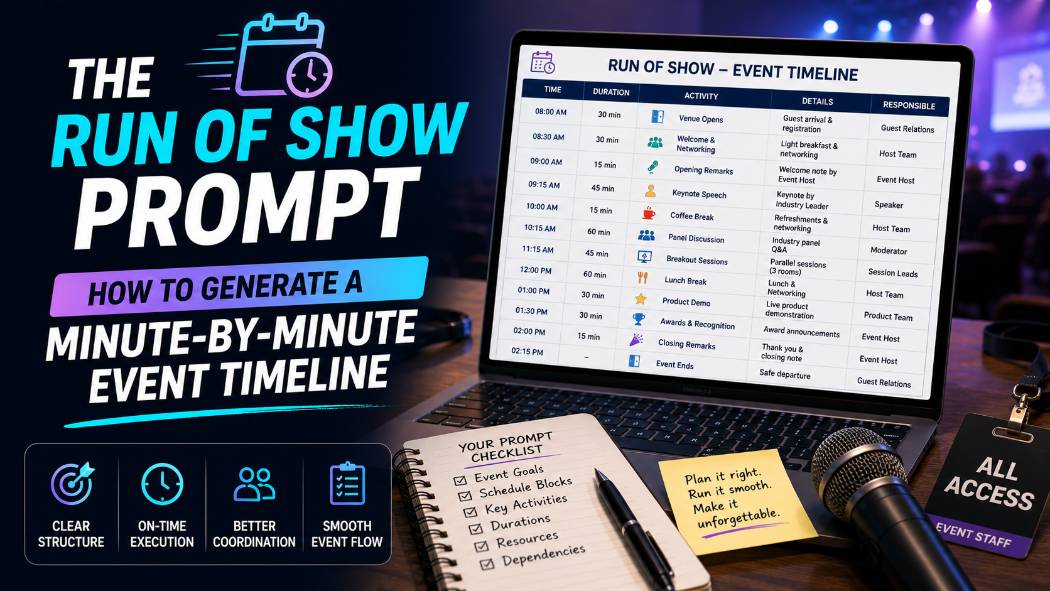
The Run of Show Prompt: How to Generate a Minute-by-Minute Event Timeline
A wedding I helped coordinate two summers ago had a timeline that looked perfect on paper: ceremony at 4:00, photos at 4:30, cocktail hour at 5:00, reception at 6:00. It fell apart by 4:20 because nobody built in buffer time for a ceremony that ran twelve minutes long, and every single thing after that shifted into a scramble. A run of show is only as useful as its ability to survive the first small delay, and that resilience comes from how it is built, not from how detailed it looks in the first draft.
Why Most AI-Generated Timelines Fall Apart in Real Life
Ask an AI model for "a timeline for my event" and it will produce a clean, evenly spaced schedule that looks organized but assumes every single item runs exactly on time with zero transition delay between them. Real events do not work that way. Vendors arrive a few minutes late, a ceremony runs long, a speaker goes over their allotted time, and a rigid, back-to-back schedule has no room to absorb any of it without cascading delays through the rest of the day.
My honest opinion here: the difference between a run of show that survives contact with reality and one that does not is buffer time, and it is the single most commonly skipped element in AI-generated event schedules. A generic prompt will never add it unless you explicitly ask for it, because an evenly packed schedule looks more polished on the page, even though it is far less useful on the actual day.
What a Real Run of Show Needs Beyond a Schedule
A run of show is a working document, not just a schedule for guests. It needs several layers most people forget to ask for.
● Buffer time built into transitions between major segments, not just a list of start times.
● A clear owner or responsible party for each segment, not just what happens, but who is making it happen.
● Vendor or staff arrival and setup times, which are almost always earlier than the guest-facing schedule.
● Contingency notes for the segments most likely to run long or short, so whoever is running the day knows where there is flexibility and where there is none.
● A clear distinction between the guest-facing schedule and the internal, more detailed version used by staff and vendors.
Building the Initial Run of Show Structure
The first draft should establish the overall structure and major segments before adding minute-level detail, the same way you would build an outline before filling in a document.
Bad Prompt (what most people type)
Create a timeline for my event
Good Prompt (adds structure and context)
Create a run of show for a wedding reception from 5pm to 11pm, including cocktail hour, dinner, speeches, first dance, and open dancing.
Expert Prompt (production-ready, fully specified)
Role: Act as a professional event planner building a run of show document.
Task: Create a run of show for a wedding reception starting at 5:00 PM and ending at 11:00 PM, including these segments in order: cocktail hour, guest seating, grand entrance, dinner service, speeches/toasts, first dance, parent dances, cake cutting, and open dancing.
Constraints: Assign a specific start and end time to each segment based on typical durations for a reception of this type. Do not leave any gaps unaccounted for between segments. Flag any segment where timing commonly runs over (such as speeches or dinner service) with a note.
Format: A table with columns for Start Time, End Time, Segment, and Notes.
Tone: Practical and specific, written for a coordinator running the event day-of.
What changed: The expert prompt requires every minute of the six-hour window to be accounted for and asks the model to flag segments that commonly run long, which surfaces the exact points where the schedule needs the most protection before any buffer time gets added.
Adding Buffer Time and Contingency Points
This step should always come after the initial structure, applied as a deliberate review pass rather than hoping the first draft happens to include it.
Bad Prompt
Add some buffer time to my schedule
Good Prompt
Review my run of show and add 10-15 minutes of buffer time after any segment that commonly runs long, adjusting the rest of the schedule accordingly.
Expert Prompt
Role: Act as a professional event planner reviewing a run of show for timing risk.
Task: Review the run of show provided above and add buffer time after any segment flagged as commonly running long or that involves guest coordination (such as speeches, group photos, or dinner service transitions).
Constraints: Add a minimum of 10 minutes and a maximum of 20 minutes of buffer per flagged segment, based on how disruptive a delay in that segment would be to the rest of the day. Clearly label each buffer block as "Buffer/Flex Time" rather than folding it invisibly into an adjacent segment. Adjust all subsequent start and end times to reflect the added buffer.
Format: An updated table with the same columns as before, with buffer blocks clearly labeled.
Tone: Practical and specific, written for a coordinator running the event day-of.
What changed: The expert prompt requires buffer time to be clearly labeled as its own line item rather than silently absorbed into surrounding segments, which means the coordinator running the event can see exactly where the schedule has flexibility and where it does not.
Assigning Roles and Vendor Responsibilities
A run of show that only shows what happens and when, without who is responsible for making it happen, still leaves gaps on the actual event day. This step turns a schedule into an operational document.
Bad Prompt
Add roles to my timeline
Good Prompt
Add a responsible party to each segment of my run of show: coordinator, DJ, catering staff, photographer, or couple.
Expert Prompt
Role: Act as a professional event planner finalizing a run of show for vendor and staff distribution.
Task: Add a "Responsible Party" column to the run of show above, assigning each segment to the party primarily responsible for executing it: Coordinator, DJ/MC, Catering Staff, Photographer/Videographer, or Couple/Family.
Constraints: If a segment requires coordination between multiple parties, list the primary responsible party first, followed by supporting parties in parentheses. Add a separate "Vendor Arrival" section above the main timeline showing setup and arrival times for each vendor, which should be earlier than the guest-facing schedule.
Format: The main table with an added Responsible Party column, plus a separate Vendor Arrival table above it with columns for Vendor, Arrival Time, and Setup Notes.
Tone: Practical and specific, written for distribution to vendors and staff.
What changed: The expert prompt separates the vendor arrival and setup schedule from the guest-facing timeline entirely, which reflects how a real run of show is actually used, vendors need an earlier, more detailed version than the one guests would ever see.
I keep this three-step run of show sequence saved in the free prompt library so buffer time and role assignment are never an afterthought.
Copy-Paste Template: Run of Show Prompt
Use this exactly as written, in three steps: structure, then buffer, then roles. Replace the [brackets] with your specifics.
STEP 1 - STRUCTURE
Role: Act as a professional event planner building a run of show document.Task: Create a run of show for a [EVENT TYPE, e.g. "wedding reception" or "corporate conference"] from [START TIME] to [END TIME], including these segments in order: [LIST YOUR SEGMENTS].
Constraints: Assign specific start and end times to each segment. Do not leave gaps unaccounted for. Flag any segment where timing commonly runs over.
Format: A table with Start Time, End Time, Segment, and Notes.
Tone: Practical, specific, written for a day-of coordinator. STEP 2 - BUFFER TIME Role: Act as a professional event planner reviewing timing risk.
Task: Add buffer time after any flagged segment from the structure above.
Constraints: 10-20 minutes per flagged segment, clearly labeled as "Buffer/Flex Time," not folded into adjacent segments. Adjust all subsequent times. Format: Updated table, same columns, buffer blocks labeled.
Tone: Practical, specific. STEP 3 - ROLES AND VENDORS
Role: Act as a professional event planner finalizing vendor and staff distribution.
Task: Add a Responsible Party column to the timeline above, and a separate Vendor Arrival table with earlier setup times.
Constraints: List primary responsible party first, supporting parties in parentheses if needed. Format: Main table plus Vendor Arrival table.
Tone: Practical, specific, ready for distribution to vendors and staff.
Save this to your prompt library at promptailearning.com/prompts.
Prompt Glossary
Run of show: A detailed, minute-by-minute operational document used to coordinate an event, distinct from a guest-facing schedule, typically including timing, responsible parties, and vendor logistics.
Buffer time: Deliberately unscheduled time inserted between segments to absorb minor delays without cascading disruption through the rest of the event.
Constraint stacking: Listing multiple specific rules, such as minimum and maximum buffer duration and explicit labeling requirements, in a single prompt so the model produces a usable, clearly structured document rather than a generic schedule.
Guest-facing schedule: The simplified version of an event timeline shared with attendees, as opposed to the more detailed internal run of show used by staff and vendors.
System Prompt: Instructions given to the AI before your actual request, used here to define the "Role" that anchors the entire response, such as professional event planner.
Recommended Blogs
If you found this useful, these posts go deeper on related topics:
● Best ChatGPT Prompts 2026: 200+ With Real Examples
● Best Claude AI Prompts 2026: 25+ Types With Examples
● How to Prompt AI for a Hyper-Personalized 12-Week Travel Itinerary
Frequently Asked Questions
What is a run of show for an event?
A run of show is a detailed, minute-by-minute operational document used to coordinate an event, including timing for every segment, who is responsible for each part, and vendor arrival and setup details, distinct from the simpler schedule shared with guests.
How much buffer time should be added to an event timeline?
A common guideline is 10 to 20 minutes of buffer after segments prone to running long, such as speeches, group photos, or dinner service transitions, adjusted based on how disruptive a delay in that specific segment would be to the rest of the schedule.
Can ChatGPT build a run of show for a wedding or conference?
Yes, especially when the request is broken into steps, building the initial structure first, then adding buffer time as a review pass, then assigning responsible parties and vendor arrival times, rather than asking for a finished, detailed document in a single prompt.
Why do AI-generated event timelines often fail on the actual day?
Generic AI timelines tend to schedule segments back-to-back with no buffer time, which looks organized on paper but leaves no room to absorb even a small delay without cascading disruption through the rest of the event.
What is the difference between a run of show and a guest itinerary?
A run of show is a detailed internal document for staff and vendors, including buffer time, responsible parties, and setup logistics, while a guest itinerary is a simplified, guest-facing version showing only the key times attendees need to know.
Should vendor arrival times be the same as the guest-facing schedule?
No. Vendors typically need to arrive and set up well before the guest-facing schedule begins, which is why a separate vendor arrival section with its own timing is a standard part of a complete run of show.
How detailed should a run of show be for a corporate event?
It should include start and end times for every segment, a responsible party for each one, buffer time around segments prone to running long (such as Q&A sessions or networking transitions), and separate setup times for AV, catering, and other vendors.
What happens if a run of show does not include buffer time?
A single delay in an early segment, such as a ceremony or keynote running a few minutes over, can cascade through the rest of the schedule, since there is no built-in flexibility to absorb the delay before it affects subsequent segments.
Save this run of show prompt sequence to the free prompt library so your next event timeline can actually survive contact with reality.