
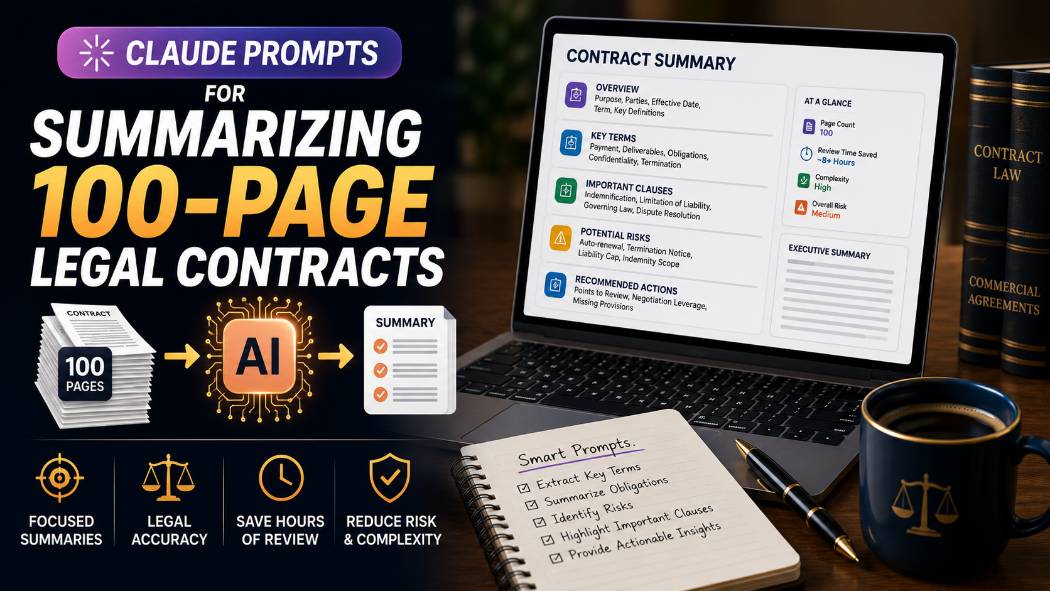
Claude Prompts for Summarizing 100-Page Legal Contracts
A 100-page vendor contract landed on my desk last quarter with a two-day turnaround to flag anything unusual before signature. Reading it cover to cover was never realistic in that window, and skimming it was how the risky indemnification clause on page 63 almost got missed entirely. Claude's long context window is genuinely well suited to this kind of task, but only if the prompt is built to extract specific, structured information instead of asking for a vague "summary" and hoping nothing important got compressed out.
Important: This guide is for drafting review notes and speeding up first-pass analysis, not for legal advice or a final determination of a contract's risk or enforceability. AI-generated summaries can miss nuance, misinterpret defined terms, or overlook context that only a qualified attorney would catch. Always have a licensed attorney review any contract before signature, and check your organization's confidentiality and data policies before uploading sensitive or privileged contract text to any AI tool.
Why Long Contracts Need a Different Prompting Approach
A vague "summarize this contract" prompt on a 100-page document tends to produce exactly what you would expect from asking someone to summarize something huge with no direction: a shallow, generic overview that captures the general subject matter and misses the specific clauses that actually matter, indemnification caps, termination triggers, auto-renewal windows, exclusivity terms.
My honest opinion here: the model's long context window is not the hard part of this task anymore, current long-context models can genuinely hold a 100-page document in view. The hard part is that a generic prompt gives the model no signal about which of the hundreds of clauses in that document deserve a full sentence versus a passing mention, so it defaults to even, shallow coverage across everything instead of depth where depth matters.
Confidentiality Comes Before Any Prompt
Before uploading any real contract text to an AI tool, confirm the following:
● Whether your organization has an approved, enterprise-level AI tool with appropriate data handling terms for confidential or privileged documents, as opposed to a free consumer-tier tool.
● Whether the contract contains information covered by attorney-client privilege, an NDA, or a confidentiality clause that restricts third-party disclosure, including to an AI processing tool.
● Your organization's specific policy on AI use for legal document review, since some legal departments restrict this entirely or require redaction of certain terms first.
If you are working with a general-purpose AI tool rather than an approved enterprise system, consider redacting counterparty names, pricing, and other sensitive commercial terms before uploading, and never upload contracts containing information you are not authorized to share outside your organization.
Building a Structured Contract Summary
The first pass should extract structure, not narrative. Naming the exact sections you need forces the model to search the full document for each specific element rather than producing a general impression of what the contract is about.
Bad Prompt (what most people type)
Summarize this contract
Good Prompt (adds structure and context)
Summarize this contract by section: parties involved, term length, payment terms, termination clauses, and any unusual provisions.
Expert Prompt (production-ready, fully specified)
Role: Act as a contract review assistant helping a professional conduct a first-pass review of a lengthy contract. Task: Analyze the attached contract and produce a structured summary covering: Parties and Effective Date, Contract Term and Renewal Terms, Payment and Fee Structure, Termination Rights and Triggers, Confidentiality Obligations, and Any Provision That Deviates From Standard Industry Terms. Constraints: For each section, cite the specific clause or section number the information comes from. If a category is not addressed anywhere in the contract, state that explicitly rather than omitting it silently. Do not interpret ambiguous language, quote it directly and flag it as [AMBIGUOUS - REVIEW]. Format: Numbered sections matching the categories above, each with a 2 to 4 sentence summary and a clause/section citation. Tone: Precise and neutral, appropriate for a professional review memo.
What changed: The expert prompt requires a clause citation for every summarized point, which makes the output verifiable instead of a black-box summary, and explicitly asks the model to flag ambiguous language rather than silently resolving it in one direction, which is exactly the kind of interpretive call that should go to a human reviewer.
Extracting Risk and Liability Clauses
Risk clauses, indemnification, limitation of liability, exclusivity, non-compete, are usually scattered across a contract rather than grouped together, which is exactly why they get missed in a skim. A targeted extraction prompt pulls them into one place regardless of where they appear in the document.
Bad Prompt
What are the risks in this contract?
Good Prompt
Find and list all indemnification, limitation of liability, and termination for cause clauses in this contract, with their section numbers.
Expert Prompt
Role: Act as a contract review assistant conducting a risk clause extraction pass. Task: Search the full attached contract and extract every clause related to: indemnification, limitation of liability, exclusivity or non-compete obligations, termination for cause, and any liquidated damages or penalty provisions. Constraints: For each clause found, quote the specific language directly (up to 2-3 sentences), provide the section number, and note which party the clause primarily favors or burdens. Do not summarize or paraphrase the clause language itself, use the exact contract wording so it can be verified against the source. If a category has no corresponding clause anywhere in the document, state that explicitly. Format: Grouped by category, with clause text, section number, and favored-party note for each entry. Tone: Precise and neutral, appropriate for a risk review memo.
What changed: The expert prompt requires exact clause wording rather than a paraphrase, since a risk assessment based on a paraphrased liability clause is far less trustworthy than one built on the contract's actual language, which the reviewer can then verify directly against the source document.
Building an Obligations and Deadlines Timeline
Contracts often bury time-sensitive obligations, notice periods, renewal deadlines, delivery milestones, inside dense paragraphs. Converting these into a chronological list is one of the most immediately useful things a long-context model can do with a lengthy contract.
Bad Prompt
What deadlines are in this contract?
Good Prompt
List all deadlines, notice periods, and time-sensitive obligations in this contract in chronological order, with section references.
Expert Prompt
Role: Act as a contract review assistant building a compliance and deadline tracking timeline. Task: Search the full attached contract and extract every time-bound obligation, including notice periods, renewal or opt-out deadlines, delivery or performance milestones, and payment due dates. Constraints: For each item, state the specific obligation, the exact timeframe or deadline as written in the contract, the section number, and which party is responsible for the action. Order the list chronologically relative to the contract's effective date where a specific date or timeframe is given. If a deadline is conditional on another event, state that condition explicitly rather than assuming a fixed date. Format: A chronological list with obligation, deadline, responsible party, and section number for each entry. Tone: Precise and neutral, appropriate for a compliance tracking document.
What changed: The expert prompt requires the model to preserve conditional logic (a notice period that starts only after a triggering event, for example) rather than flattening it into a fixed date, which is a common and costly misreading of contract language if left unspecified.
I keep these contract review prompts saved in the free prompt library so the citation and quotation requirements are built in every time, not just when I remember to add them.
Copy-Paste Template: Contract Analysis Prompt
Use this exactly as written, with a redacted or approved-tool-uploaded contract. Replace the [brackets] with your specifics.
Role: Act as a contract review assistant helping a professional conduct a first-pass review of a lengthy contract.
Task: Analyze the attached contract and [TASK, e.g. "produce a structured summary" or "extract all risk-related clauses"], focused on: [CATEGORIES, e.g. "indemnification, termination, payment terms"].
Constraints: Cite the specific clause or section number for every point extracted. Quote clause language directly rather than paraphrasing when precision matters (such as for risk or liability terms). Flag any ambiguous language as [AMBIGUOUS - REVIEW] rather than resolving the interpretation yourself. If a requested category is not addressed anywhere in the document, state that explicitly.
Format: [FORMAT, e.g. "Numbered sections" or "Chronological list"], with section citations for every entry.
Tone: Precise and neutral, appropriate for a professional review memo.
-- Role: Contract review assistant, first-pass analysis only
-- Task: Structured extraction tied to specific categories
-- Constraints: Section citations required, ambiguity flagged not resolved
-- Format: Structured list or sections with citations
-- Tone: Precise, neutral, verifiable against source textReminder: This is a first-pass drafting aid, not legal advice. A licensed attorney should review the contract before signature.
Save this to your prompt library at promptailearning.com/prompts.
Prompt Glossary
Long context window: The amount of text a model can process in a single request. Models with a large context window can hold an entire lengthy contract in view at once rather than requiring it to be broken into smaller chunks.
Clause citation: A reference to the specific section or clause number a piece of extracted information came from, which allows the summary to be verified directly against the source document.
Constraint stacking: Listing multiple specific rules, such as requiring citations and banning silent interpretation of ambiguous terms, in a single prompt so the model produces a verifiable output rather than a black-box summary.
Redaction: The practice of removing or obscuring sensitive information, such as counterparty names or pricing, before sharing a document with a third-party tool that may not be covered under appropriate confidentiality terms.
System Prompt: Instructions given to the AI before your actual request, used here to define the "Role" that anchors the entire response, such as contract review assistant.
Recommended Blogs
If you found this useful, these posts go deeper on related topics:
● Best Claude AI Prompts 2026: 25+ Types With Examples
● Best ChatGPT Prompts 2026: 200+ With Real Examples
● ChatGPT vs Claude: Full 2026 Comparison
Frequently Asked Questions
Can Claude summarize a 100-page legal contract accurately?
Claude's long context window can hold a lengthy contract in a single request, but accuracy depends heavily on the prompt. A structured prompt requiring section citations and exact clause quotations produces a far more verifiable and reliable summary than a generic request.
Is it safe to upload a confidential contract to Claude?
Only through your organization's approved, enterprise-level AI tool with appropriate data handling and confidentiality terms. Check your organization's policy before uploading any contract containing privileged or confidential information, and consider redacting sensitive terms if using a general-purpose tool.
Can AI replace an attorney's contract review?
No. AI can speed up a first-pass review by extracting structure, risk clauses, and deadlines, but it cannot replace a licensed attorney's judgment, especially for ambiguous language, enforceability questions, or jurisdiction-specific legal interpretation.
How do I get AI to find liability clauses hidden in a long contract?
Ask explicitly for indemnification, limitation of liability, and related clause categories by name, and require the model to quote the exact clause language with section numbers rather than paraphrasing, which makes the extraction verifiable against the source.
What is the best way to prompt AI for a contract deadline timeline?
Ask for all time-bound obligations in chronological order, with the exact deadline language, section number, and responsible party, and instruct the model to preserve any conditional logic rather than converting a conditional deadline into a fixed date.
Why does AI sometimes miss important clauses in long documents?
Vague prompts give the model no signal about which clauses matter most, which often results in shallow, even coverage across the whole document rather than depth on the specific risk or obligation clauses that actually need attention.
Should I trust an AI-generated contract summary without checking the original text?
No. Always verify AI-extracted clauses and summaries against the actual contract text, especially for anything related to liability, termination, or financial obligations, before relying on the summary for a decision.
Can Claude flag unusual or non-standard contract terms?
Yes, if explicitly asked to identify provisions that deviate from standard industry terms, though this requires the model to have some general knowledge of typical contract language for that type of agreement, and any flagged term should still be reviewed by a professional familiar with the specific industry norms.
Save this contract review prompt structure to the free prompt library so your next 100-page contract gets a real first-pass review instead of a shallow skim.