
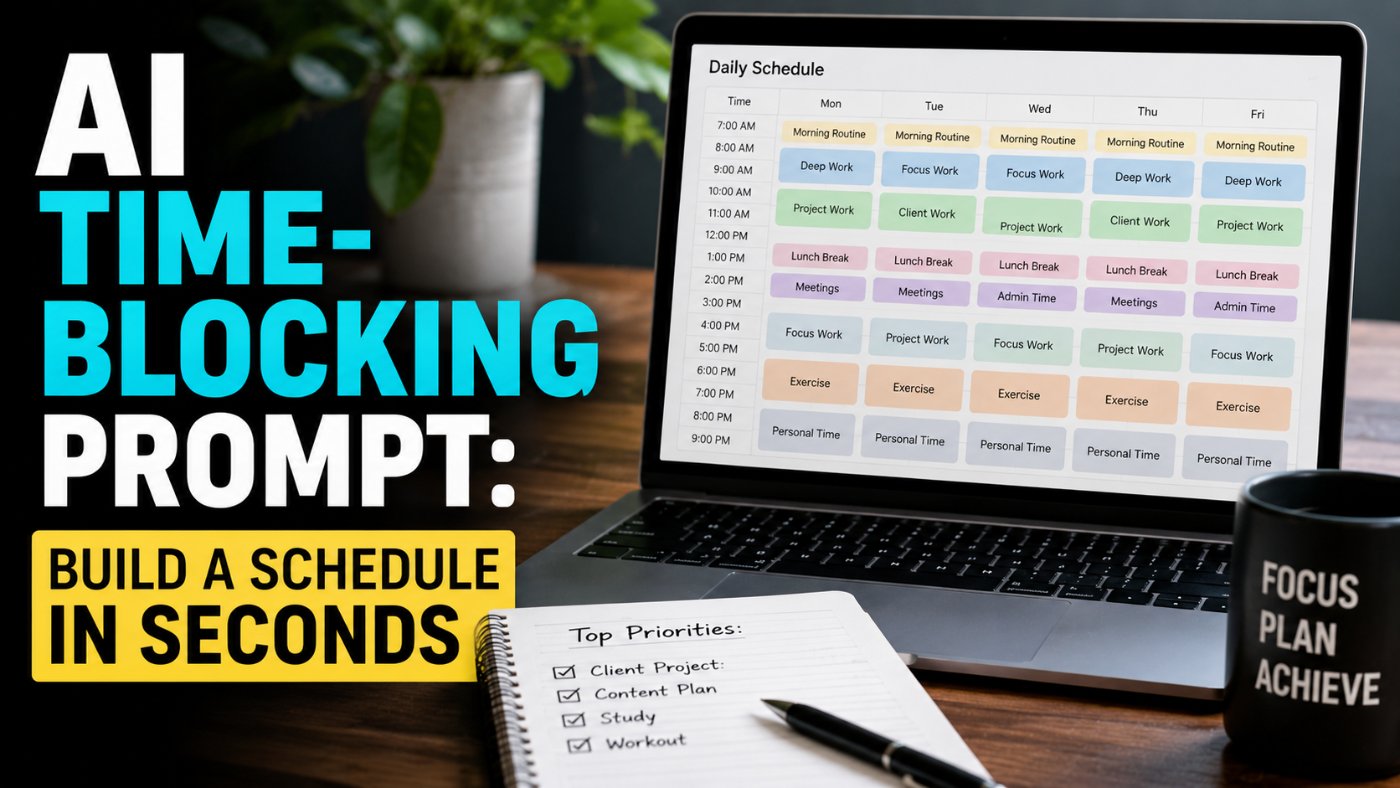
AI Time-Blocking Prompt: Build A Schedule In Seconds
I used to spend the first 15 minutes of every workday staring at my task list trying to figure out what order to do things in. That is 15 minutes of decision fatigue before the actual work even starts. Now I paste my task list into an AI chatbot with one structured prompt and get a time-blocked schedule back in under 10 seconds, hardest tasks slotted into my morning, breaks built in, done.
Why Time-Blocking Beats A Plain To-Do List
A to-do list tells you what needs to get done. It says nothing about when, and that gap is where most days quietly fall apart, easy tasks eat the morning, the hard task gets pushed to 4pm when your focus is already gone, and something on the list just does not happen.
Time-blocking fixes this by assigning every task a specific slot on the clock, not just a place on a list. Here is my honest take: the reason most people abandon time-blocking after a week is that building the schedule by hand takes almost as much mental energy as doing the tasks themselves. That is exactly the part AI is good at removing.
The Core Time-Blocking Prompt
This is the single prompt that does the heavy lifting. Paste your available hours and your task list, and it returns a full schedule.
Bad Prompt (what most people type)
Make me a schedule for today.
Good Prompt (adds structure and context)
I have 8 hours to work today. My tasks are: finish the report, answer emails, team meeting at 2pm, plan next week. Create a schedule.
Expert Prompt (production-ready, fully specified)
Act as a productivity coach building me a time-blocked daily schedule.
Task: I have [X] hours to work today. Here are my tasks: [LIST YOUR TASKS, noting which are difficult/deep-work and which are light/administrative]. Create a time-blocked schedule for me, including 5-minute breaks between deep-work sessions, and allocate the most difficult tasks to my peak energy hours (usually mornings).
Format: A clock-time schedule (e.g. 9:00-10:30) with each block labeled by task, a note on why it was placed there (peak energy / low energy / fixed commitment), and short breaks explicitly scheduled between deep-work blocks.
Constraints: Do not schedule more than 90 minutes of deep work without a break. Group similar low-effort tasks (like email) into a single batch rather than scattering them throughout the day. If my task list does not fit in the available hours, flag which task should be moved to tomorrow rather than silently cramming everything in.
Tone: Direct, practical, no filler explanation, just the schedule and brief reasoning.
Hours available today: [X HOURS]
Tasks: [LIST YOUR TASKS HERE, noting difficulty level and any fixed-time commitments like meetings]
What changed: The bad prompt returns a generic, evenly spaced list with no sense of task difficulty or energy management. The good prompt adds real tasks but still leaves prioritization and breaks to guesswork. The expert prompt explicitly ties difficult tasks to peak energy hours, mandates a break cadence, and forces the model to flag an overloaded day instead of quietly cramming everything in, which is what actually makes the output usable instead of just tidy-looking.
Why This Prompt Works: Breaking Down Each Part
● Naming peak energy hours explicitly stops the model from defaulting to a simple top-to-bottom task order and forces it to actually think about when deep work belongs.
● Requiring 5-minute breaks between deep-work sessions prevents the unrealistic "90 minutes back to back for 8 hours straight" schedule that looks efficient on paper and falls apart by 11am.
● Asking the model to flag an overloaded day is the single most useful constraint in the whole prompt, most schedule generators will happily cram 10 hours of work into 6 available hours unless explicitly told not to.
● Batching low-effort tasks like email into one block rather than scattering them protects your best hours from getting fragmented by small interruptions.
Variation 1: Time-Blocking Around Fixed Meetings
Most real days are not a blank slate, they have meetings locked in at specific times. This variation treats those as fixed anchors and builds everything else around them.
Expert Prompt
Act as a productivity coach building me a time-blocked daily schedule around fixed commitments.
Task: I have [X] hours available today, with the following fixed commitments at set times: [LIST MEETINGS/APPOINTMENTS WITH TIMES]. Here are my remaining tasks to fit around them: [LIST TASKS]. Build a schedule that treats the fixed commitments as unmovable, allocates my most difficult task to the longest open block closest to the morning, and adds 5-minute breaks between deep-work sessions.
Format: A clock-time schedule listing fixed commitments and flexible task blocks together in chronological order, with each flexible block labeled by task and reasoning for its placement.
Constraints: Never schedule a task over a fixed commitment. If the largest remaining open block is not in the morning, place the hardest task there anyway rather than forcing it into a fragmented morning.
Tone: Direct, practical, schedule first, minimal explanation.
Hours available: [X HOURS]
Fixed commitments: [LIST WITH TIMES]
Remaining tasks: [LIST TASKS HERE]
Variation 2: Time-Blocking For A Low-Energy Day
Not every day is a peak-performance day. This variation adjusts the schedule logic for a day when you are running on less focus than usual, rather than pretending every day looks the same.
Expert Prompt
Act as a productivity coach building a realistic schedule for a low-energy day.
Task: I have [X] hours today but I am running low on energy/focus. Here are my tasks: [LIST TASKS]. Build a schedule that front-loads only the single most important task while my focus is best, groups the rest into short, low-effort blocks, and includes more frequent short breaks than usual.
Format: A clock-time schedule with shorter work blocks (25-40 minutes) and more frequent breaks than a typical high-energy schedule, each block labeled by task and effort level.
Constraints: Do not schedule more than one genuinely difficult task for the day. If a task cannot realistically fit given reduced capacity, flag it for tomorrow rather than forcing it in.
Tone: Practical and realistic, not falsely motivational.
Hours available: [X HOURS]
Tasks: [LIST TASKS HERE]
Variation 3: Weekly Time-Blocking Across Multiple Days
For planning further ahead than a single day, this variation distributes tasks across the week rather than trying to fit everything into one day's schedule.
Expert Prompt
Act as a productivity coach building a weekly time-blocked plan.
Task: I have [X hours per day] available across [NUMBER OF DAYS]. Here is my full task list with rough time estimates and any hard deadlines: [LIST TASKS WITH ESTIMATES AND DEADLINES]. Distribute the tasks across the week, placing the most difficult or highest-priority tasks earlier in the week and in morning slots where possible.
Format: A day-by-day schedule (Monday through [LAST DAY]), each day broken into time blocks with task labels.
Constraints: Respect all stated deadlines, do not schedule a deadline task after its due date. Flag any task that does not fit within the week given the stated time estimates.
Tone: Direct, practical, schedule-first.
Days available: [NUMBER OF DAYS]
Hours per day: [X HOURS]
Tasks with estimates and deadlines: [LIST HERE]
Common Mistakes That Wreck A Time-Blocked Schedule
Watch For These
Not stating task difficulty. If you just list tasks without noting which are hard versus easy, the model has no way to actually match difficulty to your peak hours, it will just place them in the order you listed them.
Ignoring the model's overload flag. If the AI tells you your task list does not fit in your available hours, moving a task to tomorrow is almost always better than compressing everything and finishing the day behind on all of it.
Treating the output as fixed. A generated schedule is a starting structure, not a contract, adjust it in real time as your actual day unfolds rather than forcing yourself to follow blocks that no longer make sense.
Copy-Paste Template: Time-Blocking Prompt
Use this exactly as written. Replace the [brackets] with your specifics.
Act as a productivity coach building me a time-blocked daily schedule.
Task: I have [X] hours to work today. Here are my tasks: [LIST TASKS, noting which are difficult/deep-work and which are light/administrative]. Create a time-blocked schedule for me, including 5-minute breaks between deep-work sessions, and allocate the most difficult tasks to my peak energy hours (usually mornings).
Format: Clock-time schedule with each block labeled by task and a brief reason for its placement, breaks scheduled explicitly between deep-work blocks.
Constraints: No more than 90 minutes of deep work without a break. Batch low-effort tasks together. Flag any task that doesn't fit in the available hours instead of cramming it in.
Tone: Direct, practical, schedule first.
Hours available today: [X HOURS]
Tasks: [LIST YOUR TASKS HERE]
-- Role: Productivity coach building a daily time-blocked schedule
-- Task: Match tasks to energy levels, insert breaks, flag overload
-- Format: Clock-time schedule with reasoning per block
-- Constraints: Break cadence enforced, low-effort tasks batched, overload flagged
-- Tone: Direct, practical, schedule-first
Save this to your prompt library at promptailearning.com/prompts and reuse it every morning, just swap in that day's task list.
Prompt Glossary
Time-blocking: A scheduling method that assigns every task a specific slot on the clock, rather than leaving order and timing to be decided in the moment.
Deep work: Focused, cognitively demanding work performed without interruption, typically requiring longer, uninterrupted blocks of time than administrative tasks.
Peak energy hours: The period of the day when an individual's focus and cognitive performance are naturally highest, commonly mornings, though this varies by person.
Task batching: Grouping similar low-effort tasks, like responding to email, into a single dedicated block rather than handling them throughout the day.
Fixed commitment: A scheduled event, like a meeting, that cannot be moved and must be treated as an anchor point when building the rest of a schedule around it.
Recommended Blogs
If you found this useful, these posts go deeper on related topics:
● Best ChatGPT Prompts 2026: 200+ With Real Examples
● Business and Strategy Prompts - Analysis, Pitch Decks, OKRs
● Free Prompt Library
Frequently Asked Questions
What is the best AI prompt for time-blocking my day?
A prompt that specifies your available hours, lists tasks with difficulty noted, and explicitly requests that difficult tasks be placed in your peak energy hours with breaks between deep-work sessions produces the most usable schedule, as shown in the Expert Prompt in this guide.
Can ChatGPT or Claude build a time-blocked schedule for me?
Yes, any current general-purpose AI chatbot can build a time-blocked schedule when given a structured prompt specifying your hours, tasks, task difficulty, and any fixed commitments like meetings.
How do I tell AI which tasks are hardest for prioritization?
Note difficulty directly next to each task in your prompt, for example labeling tasks as deep-work or light/administrative, since the model has no way to infer difficulty from a plain task name alone.
What if my task list doesn't fit in my available hours?
A well-structured prompt should explicitly instruct the AI to flag any task that does not fit, rather than compressing everything into an unrealistic schedule. Moving the flagged task to the next day is usually the better outcome than a day that ends with nothing fully finished.
How many breaks should be in a time-blocked schedule?
A common guideline is a short break after no more than 90 minutes of deep work, though this varies by individual. The core time-blocking prompt in this guide enforces a 5-minute break between deep-work sessions as a default.
Can AI schedule my whole week, not just one day?
Yes, using a variation of the prompt that includes multiple days, task time estimates, and any deadlines, distributing tasks across the week rather than a single day, as shown in the Weekly Time-Blocking variation above.
What should I do if my actual day doesn't match the AI-generated schedule?
Treat the schedule as a flexible starting structure rather than a fixed contract. Adjust blocks in real time as needed, the value is in reducing the mental effort of initial planning, not in rigid adherence to the exact times generated.
Does time-blocking work for people without a typical 9-to-5 schedule?
Yes, the same prompt structure works regardless of your actual working hours, since you specify your own available hours and task list. The key adjustment is noting your own personal peak energy hours if they differ from a standard morning pattern.
References
● Anthropic Claude Documentation - Official model and API documentation
● Prompt AI Learning Prompt Library - 400+ free templates
Follow along on promptailearning.com for weekly guides on prompting, AI tools, and getting more out of every model.
EXPLORE MORE ON PROMPTAILEARNING.COM
STAY UPDATED WITH AI NEWS
Follow the full AI news series and never miss a story:
● Daily AI News - Top 5 Stories Every Morning
● Weekly AI Roundups - 15+ Stories Every Monday
● Monthly AI Recaps - Full Archive by Month
LEARN THE MODELS MAKING THESE HEADLINES
The models in today's news are only useful if you know how to prompt them well. Start here:
● Best Claude AI Prompts 2026 - 25+ Types With Examples
● Best ChatGPT Prompts 2026 - 200+ Real Examples
● Best Gemini AI Prompts 2026 - 100+ Templates
COMPARE THE MODELS
Not sure which model to use? These comparison pages give you the full picture:
● ChatGPT vs Claude - Full 2026 Comparison
● AI Models Directory - Compare 60+ LLMs, Image and Video Models
BUILD SKILLS THAT COMPOUND
Reading AI news is step one. Building skills with these models is step two:
● Free Prompt Library - 213+ Copy-Paste Templates
● Start Prompt Engineering - Free Course for All Levels
● The Guide to Agentic Prompts
● Coding Prompts for Developers - Production-Ready Templates
USE PROMPTS FOR THE NEWS TOPICS YOU READ ABOUT TODAY
Every story in today's post maps to a real use case. These prompt categories help you act on what you read:
● Business and Strategy Prompts - Analysis, Pitch Decks, OKRs
● Writing and Content Prompts - Emails, Case Studies, White Papers
● AI Knowledge Hub - Technical Blueprints and Career Guides
ABOUT THIS BLOG
promptailearning.com publishes free daily AI news, weekly roundups, monthly recaps, prompt guides, model comparisons, and course content for anyone who wants to get better at using AI. Written by Swatantra Verma. No paywalls, no fluff.
Connect With Us
● Email: contact@promptailearning.com
● Founder: Swatantra Verma on LinkedIn
● Co-Founder: Prateek Patel on LinkedIn
● Company LinkedIn: Prompt AI Learning
● Company X: @promptailearnin