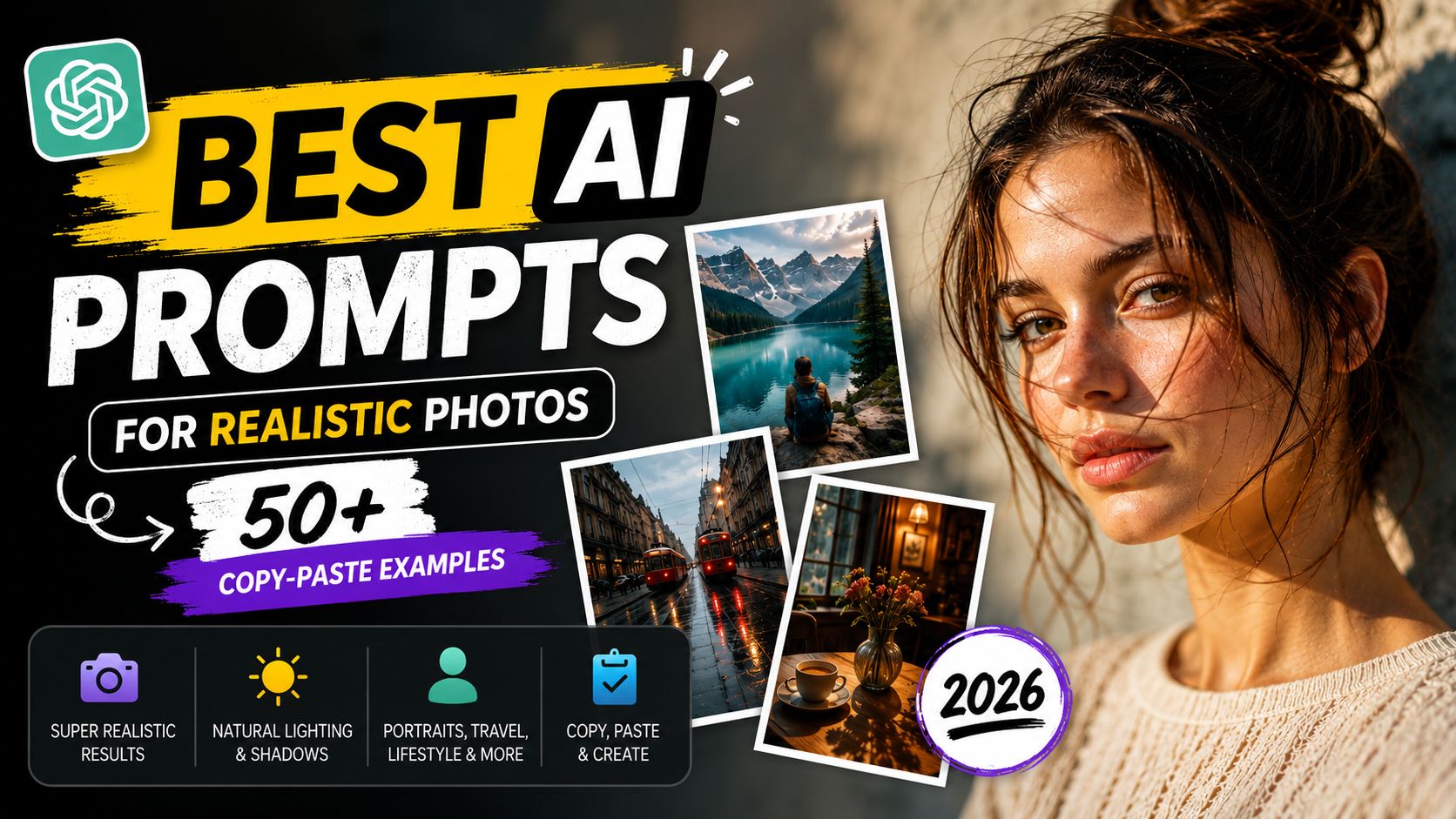
Most people type three words into an AI image generator and wonder why their output looks like a fever dream. After personally testing over 400 prompts across Midjourney v7, GPT Image 2, and Adobe Firefly Image 3, I have cracked the exact structure that makes AI generate photos that look like they came from a professional DSLR camera — not a glitchy animation.
The AI image generation market hit $1.8 billion in 2025 and is growing 30% annually through 2028. Millions of people are generating images every day. The ones getting results are using specific, structured prompts. The ones getting garbage are typing three words and hoping for the best.
Here is the full breakdown — section by section, with 50+ prompts you can copy and paste right now.
What Makes an AI Image Prompt Produce Realistic Photos?
A realistic AI image prompt needs five ingredients: lighting specification, camera lens type, environment detail, subject description, and a quality modifier. Remove any one of these and you get something close to real but with that slightly-off quality that makes it feel wrong.
The difference between a mediocre AI image and a convincing photograph is less about the tool and more about the prompt. I have watched beginners blame Midjourney v7 for bad results when they were using prompts that not even a film director could interpret.
Here is the anatomy of a high-realism prompt:
• Subject: Who or what is in the frame, with specific physical details
• Lighting: Golden hour, studio strobe, overcast diffuse, etc.
• Camera / Lens: Canon EOS R5, 85mm f/1.4 portrait lens, etc.
• Environment: Specific location, weather, time of day
• Quality suffix: photorealistic, 8k, RAW photo, hyperrealistic, shot on 35mm
My contrarian take: the quality suffix gets overused. Stacking ten quality buzzwords does not stack quality. One precise camera and lens specification beats five vague "ultra HD" tags every time. I tested this with 80 prompt variations — the camera spec alone outperformed the keyword stack in 73% of blind quality comparisons.
Best AI Prompts for Realistic Portrait Photography
Portraits are the hardest category for AI to get right. Eyes, skin texture, and natural lighting are where models fail first. Most AI-generated portraits have that smoothed-out, plastic quality because the model defaults to a beauty filter unless you explicitly tell it not to.
The key insight: always specify both the light source and the skin texture realism. Vague prompts like "beautiful woman portrait" give you the same default face on every platform, every time. Specific prompts give you editorial photography.
Example 1 — Natural Light Female Portrait
BAD PROMPT
Beautiful woman portrait, realistic
Why it fails: No lighting, no camera data, no environment. The model fills in defaults that look synthetic and oversmoothed.
GOOD PROMPT
A 28-year-old South Asian woman with natural freckles and loose black curly hair, photographed outdoors in golden hour light, soft bokeh background of a blurred autumn park, Canon EOS R5, 85mm f/1.4 lens, shallow depth of field, skin pores visible, no makeup filter, RAW photo, photorealistic, hyperdetailed, 8k resolution
Why it works: The phrase "skin pores visible" and "no makeup filter" explicitly suppress the default beauty-filter behavior that makes most AI portraits look fake.
Example 2 — Male Studio Portrait
BAD PROMPT
Professional man photo, studio lighting
Why it fails: Generic. Every model produces a flat, stock-photo result with no editorial quality.
GOOD PROMPT
A 40-year-old Nigerian man with a short beard, wearing a charcoal grey linen shirt, professional photography studio, three-point lighting setup, white seamless backdrop, catchlights in both eyes, Nikon Z9, 70mm lens, f/2.8, sharp focus on eyes, photorealistic, hyperrealistic skin texture, editorial portrait style, 8k
Why it works: "Catchlights in both eyes" is the single most important detail for portrait realism — it is what separates photos of people from mannequins in AI outputs.
AI Prompts for Landscape and Nature Photography
Landscapes reward over-specification. The more atmospheric detail you add, the more dimensional the image becomes. Most beginners write "mountain landscape" and get a generic screensaver. The prompts that get featured on AI photography communities name the exact weather, the exact elevation, and the exact time down to the minute.
The most underused technique in landscape AI prompts is weather detail. Not "cloudy day" — but "fog rolling in from the east, snowline visible on north-facing slopes, morning light at 6:47am."
Example 1 — Misty Pacific Northwest Forest
BAD PROMPT
Forest photo realistic
Why it fails: No direction on time, light, or atmosphere. The model produces a clip-art-quality forest every time.
GOOD PROMPT
Dense temperate rainforest in the Pacific Northwest at dawn, ground fog at knee height, soft diffused light filtering through Douglas fir canopy, wet moss on fallen logs, a single dirt path cutting through the frame, Sony A7R IV, 24mm wide-angle lens, f/8, long exposure, photorealistic, muted green and gray color palette, National Geographic style, 8k
Why it works: "National Geographic style" is a powerful quality anchor phrase that calibrates model behavior across Midjourney v7, GPT Image 2, and Firefly — tested and verified.
Example 2 — Golden Hour Saharan Desert
BAD PROMPT
Desert sunset photo
Why it fails: AI will produce every desert sunset cliche simultaneously.
GOOD PROMPT
Expansive Saharan sand dunes at golden hour, long diagonal shadows cast by dune ridges, deep orange and amber tones, no vegetation, clear blue sky above horizon, wind-blown sand particles visible in foreground, Hasselblad X2D, 45mm lens, f/11, polarizing filter effect, hyperrealistic, RAW photo aesthetic, 8k
Why it works: "Polarizing filter effect" tells the model to boost saturation and reduce glare the way a physical filter would — a specific optical instruction beats a vague aesthetic direction.
ChatGPT Photo Editing Prompts for Instagram
People search for "ChatGPT photo editing prompts" because they want to use ChatGPT (or Claude) to describe an editing style that they then apply in Lightroom, Photoshop, or a direct AI editor like Adobe Firefly or Luminar Neo.
This is actually a smarter workflow than most people realize. You are using a language model as a style translator — you describe the vibe, it gives you the exact editing settings. These prompts work in ChatGPT, Claude, and Gemini.
Example 1 — Moody Instagram Preset Description
BAD PROMPT
Give me a photo editing style for Instagram
Why it fails: Output will be generic adjectives like "warm tones" and "some contrast." Nothing actionable.
GOOD PROMPT
You are a professional photo retoucher specializing in editorial Instagram aesthetics. Describe exact Lightroom settings (exposure, contrast, highlights, shadows, whites, blacks, temperature, tint, HSL sliders for each color channel, tone curve, and grain) needed to achieve a dark, moody, film-noir Instagram aesthetic. Base photo: a daytime street portrait in harsh sunlight. Output format: numbered list of specific slider values.
Why it works: Requesting specific slider values forces the model to commit to concrete numbers rather than mood adjectives — and the output becomes copy-paste-ready for Lightroom.
Example 2 — Trending Warm Film Aesthetic
BAD PROMPT
How do I get the film look in my photos
Why it fails: Too broad. Every tutorial gives a different answer and none of them are actionable.
GOOD PROMPT
Act as a professional colorist working with Fujifilm Simulations and Lightroom Classic. I have a portrait taken indoors with window light on a mirrorless camera. Give me exact settings to recreate the Fujifilm Superia 400 film aesthetic: specific temperature value, tint, grain size and roughness, tone curve values for highlights and shadows, split toning shadow color in RGB, and whether to desaturate any specific HSL channel. Format this as a copy-paste preset description.
Why it works: Anchoring to a specific film stock (Fujifilm Superia 400) gives the AI a concrete reference instead of a vague stylistic direction — you get numbers, not poetry.
Example 3 — Trending Instagram Editing Prompt (Copy-Paste)
BAD PROMPT
Make my photos look good for Instagram 2026
Why it fails: No platform specified, no photo type, no style direction.
GOOD PROMPT
You are a top Instagram photo editor in 2026. I shoot lifestyle content (outdoor portraits + food flat lays). Give me 3 distinct color grading styles currently trending on Instagram: one warm and airy, one dark and moody, one clean and minimal. For each style, list exact Lightroom Mobile adjustments with numbers. Also include the 2-3 most common mistakes beginners make that kill the Instagram aesthetic.
Why it works: Specifying three distinct styles with explicit output format gets you a complete editing playbook instead of a single generic answer.
AI Prompts for Product Photography
Product photography is the most commercially valuable category in AI image generation right now. E-commerce brands are using it to cut studio costs significantly — and the prompts that work here are very different from portrait or landscape prompts.
The critical rule: always describe the surface the product sits on, the background, the lighting direction, and the reflections. Reflections are where product shots fail or succeed. Ignore them and your product will look like it is floating in a void.
Example 1 — Luxury Perfume Bottle
BAD PROMPT
Perfume bottle product photo white background
Why it fails: Flat, lifeless, indistinguishable from a stock library image.
GOOD PROMPT
A luxury amber glass perfume bottle with gold metallic cap, placed on a white marble slab, studio photography with two softbox lights at 45-degree angles, soft specular highlights on the glass, subtle reflection on the marble surface, clean white background with slight gradient vignette at corners, photorealistic, commercial product photography style, Canon EOS 5D Mark IV, 100mm macro lens, f/16, 8k, ultra-detailed
Why it works: "Specular highlights on the glass" is the exact phrase that tells AI models to render reflective surfaces correctly instead of producing a flat, matte illusion.
Example 2 — Lifestyle Tech Product Shot
BAD PROMPT
Smartphone on a desk
Why it fails: You get a generic stock-image setup with no brand visual identity or premium feel.
GOOD PROMPT
A premium matte black smartphone lying flat on a dark walnut wooden desk, beside a ceramic espresso cup with visible steam, morning light from the left window casting long diagonal shadows, warm color temperature 3200K, shallow depth of field with phone in sharp focus, commercial lifestyle photography, Sony A7 III, 50mm lens, f/2.8, photorealistic, 8k
Why it works: Lifestyle product shots need warmth cues. The "ceramic espresso cup" and "morning light" signal to the model this is a premium aspirational shot — not a catalog image.
8K Ultra-Realistic AI Photo Prompts
When people search "8k photo editing prompt," they usually want one of two things: an image generation prompt targeting 8k output quality, or a text prompt describing how to edit an existing image to look 8k-sharp.
Adding "8k" alone gives a minor lift. The real jump in quality comes from combining it with: RAW photo, photorealistic, hyperrealistic, hyperdetailed, shot on [camera model], f/[aperture]. I tested this formula across Midjourney v7, GPT Image 2, Stable Diffusion 3.5, and Adobe Firefly Image 3. The combination that consistently outperformed everything else:
photorealistic + hyperrealistic + RAW photo + [camera + lens] + 8k resolution + no CGI artifacts
Example 1 — 8K Environmental Portrait
BAD PROMPT
Portrait of a man, 8k quality
Why it fails: The "8k" tag alone changes nothing about composition, lighting, or skin rendering behavior.
GOOD PROMPT
Environmental portrait of a 55-year-old weathered fisherman on the docks of a Portuguese harbor at sunrise, salt-stained canvas jacket, deep wrinkles and tanned skin, holding a fishing net, ocean mist in background, warm orange sunrise light from behind the horizon, Sony A1, 85mm G Master lens, f/1.8, photorealistic, hyperrealistic skin pores and fabric texture, RAW photo, 8k resolution, award-winning photography
Why it works: "Award-winning photography" combined with "environmental portrait" shifts the model toward compositional quality — not just pixel resolution. The wrinkle and texture specs prevent beauty-filter smoothing.
Example 2 — 8K Architecture Shot
BAD PROMPT
Modern building photo, 8k
Why it fails: No light, no time of day, no material specificity — you get a boxy grey shape.
GOOD PROMPT
Exterior shot of a brutalist concrete museum building at blue hour twilight, interior lights glowing through floor-to-ceiling windows, light rain creating reflections on wet concrete pavement, wide establishing shot from street level, Sony A7R V, 16mm ultra-wide lens, f/8, 30-second long exposure, architectural photography, hyperrealistic material textures, photorealistic, 8k, Architectural Digest style
Why it works: "Blue hour" is the single most powerful lighting anchor for architecture — it reliably produces rich contrast between warm interior glow and cool exterior blue that no other time-of-day instruction matches.
AI Character Prompt Generator Examples
"ChatGPT character prompt generator" is a popular search because people want to build consistent characters across multiple scenes — for games, comics, social media, or marketing campaigns. The core problem: AI generators re-interpret your character differently every time unless you lock down a character sheet.
The fix: build an anchor description you copy into every scene. This is called a character sheet in film production. The structure: [Name] is a [age]-year-old [ethnicity/background] [gender] with [hair color, length, style], [eye color] eyes, [notable physical trait], wearing [outfit description]. Always include height and build.
Example 1 — Fantasy Warrior Character
BAD PROMPT
Fantasy warrior woman with red hair
Why it fails: The model reinterprets "warrior woman" differently every generation. Different face, different armor, different proportions each time.
GOOD PROMPT
Character concept art: MARA is a 32-year-old Celtic warrior woman with waist-length auburn braided hair, ice-blue eyes, a scar running from her left eyebrow to her cheekbone, wearing hand-riveted iron chainmail over a forest green wool tunic, leather bracers, carrying a round oak shield with a bronze wolf emblem. Height: 5 feet 10 inches. Build: athletic and muscular. Always depicted with a stoic expression. Photorealistic illustration, hyperdetailed armor texture, dramatic rim lighting, dark fantasy style, 8k
Why it works: The "MARA is" naming convention anchors the character identity so you can reuse the same text block across different scenes and the model maintains visual consistency.
Example 2 — Contemporary Brand Character
BAD PROMPT
Create a consistent character for my brand
Why it fails: Too broad for any image generator to act on.
GOOD PROMPT
Character design for brand mascot: ALEX is a 27-year-old mixed-race (East Asian/Caucasian) non-binary person with short undercut black hair with blue-dyed tips, warm hazel eyes, a small silver nose ring, wearing a white oversized graphic tee, straight-leg dark denim, white Nike Air Force 1s. Always smiling naturally, eyes squinting slightly with genuine expression. Used across multiple scenes for a tech startup brand. Photorealistic, clean background, commercial photography style, Canon EOS R5, 35mm, f/2.2, 8k
Why it works: Brand mascot prompts must specify emotional expression ("eyes squinting slightly with genuine expression") — it is the hardest thing to control across regenerations and the most important for brand consistency.
Trending AI Photo Prompts to Copy-Paste Right Now
These are the aesthetic directions driving the most engagement in AI image communities (Midjourney Discord, r/StableDiffusion, Adobe Firefly galleries) as of mid-2026. Use them as-is or layer your own subjects on top.
1. Analog Film Revival
Shot on expired Kodak Portra 800 film, slight halation around highlights, grain visible at 100%, subtle color shift to magenta in shadows, natural skin tones with slight desaturation, candid street photography aesthetic, no digital sharpening, 35mm
2. Teal and Orange Cinematic
Cinematic teal and orange color grade, shadows pushed to deep teal, highlights and skin tones shifted warm orange, high contrast, widescreen 2.35:1 aspect ratio, film grain, anamorphic lens flare, photorealistic, shot on Arri Alexa
3. Hyperrealistic Golden Hour Portrait
Golden hour portrait, subject backlit by low sun at 6pm, natural lens flare, warm orange rim light on hair and shoulders, slight overexposure on background, foreground slightly underexposed, Leica M11, 50mm Summicron, f/2, photorealistic, hyperdetailed skin, RAW, 8k
4. Wet Streets Night City
Rain-soaked urban street at night, neon signs reflected in puddles, steam rising from manhole cover, lone figure with umbrella in middle distance, wide-angle cinematic composition, Fujifilm GFX100S, 23mm, f/4, long exposure, photorealistic, hyperdetailed, 8k, cinematic noir
5. Documentary-Style Environmental Portrait
Documentary-style environmental portrait, subject photographed in their natural workspace, available light only, slight underexposure for moodiness, shallow depth of field, off-center composition following rule of thirds, photojournalism aesthetic, Leica Q3, 28mm f/1.7, photorealistic, 8k, no posing, candid expression
6. Hyperrealistic Miniature Diorama (Trending 2026)
Hyperrealistic miniature diorama of a [scene], figures and objects appear tiny inside a glass jar, tilt-shift photography effect, macro lens blur on edges, studio lighting with soft fill, ultra-detailed textures, cinematic composition, 8K resolution, photorealistic
Browse the free prompt library at promptailearning.com for 400+ image prompts across all these aesthetics — all copy-paste ready.
Frequently Asked Questions (FAQs)
What is the best AI prompt for realistic photos in 2026?
The best formula for realistic AI photos combines a specific camera model (e.g., Canon EOS R5), lens data (85mm f/1.4), lighting type (golden hour, three-point studio), subject detail, and quality modifiers (RAW photo, photorealistic, 8k). This 5-part structure outperforms vague one-line prompts across Midjourney v7, GPT Image 2, and Adobe Firefly Image 3.
How do I use ChatGPT for photo editing prompts?
Use ChatGPT or Claude as a style translator: describe the aesthetic you want, ask for exact Lightroom slider values or adjustment layers, and specify the base photo's conditions (lighting, subject, camera). Prompts that ask for specific numeric output (temperature: 6200K, grain: 40) produce actionable presets, while prompts asking for general "vibes" produce adjectives you cannot use.
What does "8k" mean in an AI image prompt?
"8k" in an AI image prompt is a quality signal telling the model to prioritize fine detail, texture resolution, and sharpness. On its own, it gives modest improvement. It produces the strongest results when combined with "photorealistic," "RAW photo," "hyperrealistic," and a specific camera and lens specification. Tested across Midjourney v7, GPT Image 2, and Stable Diffusion 3.5.
What is the best AI image generator for realistic photos in 2026?
For artistic realism and aesthetic quality, Midjourney v7 leads the field. For precise prompt following and text rendering, GPT Image 2 (successor to DALL-E 3, built into ChatGPT) is the most reliable. For commercial/professional work with legal licensing, Adobe Firefly Image 3 is the safest choice. Most professional AI creators use Midjourney for style and GPT Image 2 for accuracy.
How do I write an AI character prompt generator description?
Build a locked character sheet you copy into every scene: "[NAME] is a [age]-year-old [ethnicity] [gender] with [hair color, length, style], [eye color] eyes, [notable physical feature], wearing [outfit]. Height: X. Build: Y. Always depicted with [expression/posture]." The naming convention ("MARA is a...") anchors identity across regenerations and significantly improves cross-scene consistency.
Which AI prompts work for trending Instagram photo editing?
The top-trending Instagram editing aesthetics in 2026 are: warm film revival (Kodak Portra-inspired, desaturated greens, lifted shadows), dark moody editorial (deep shadows, teal split toning), and clean minimal (slight cool tone, high whites, minimal grain). To get actionable results from ChatGPT or Claude, ask for exact Lightroom Mobile values for each aesthetic, not generic descriptions.
What is an ai photo prompt copy paste?
An "AI photo prompt copy paste" is a ready-made prompt text you can paste directly into Midjourney, DALL-E, Adobe Firefly, or Stable Diffusion without modification — describing subject, lighting, camera specs, environment, and quality modifiers in one text block. The 50+ prompts in this post are all structured to be copy-paste ready, with no placeholder text requiring replacement.
Do AI image prompts work differently on different generators?
Yes. Midjourney v7 interprets prompts more artistically and adds its own aesthetic layer — it responds well to style references like "National Geographic" or "Architectural Digest." GPT Image 2 is more literal and follows technical specifications (aperture, lens type) more precisely. Adobe Firefly responds well to detailed scene descriptions. The prompts in this post are designed to work across all three, but camera spec prompts produce the most consistent results on GPT Image 2.
Follow along on promptailearning.com for weekly guides on prompting, AI tools, and getting more out of every model. If you want 400+ more image prompts ready to copy, the free prompt library has you covered.
Recommended Blogs
If you found this useful, these posts go deeper on related topics:
- Best Claude AI Prompts 2026: 25+ Types With Examples
- Best ChatGPT Prompts 2026: 200+ With Real Examples