
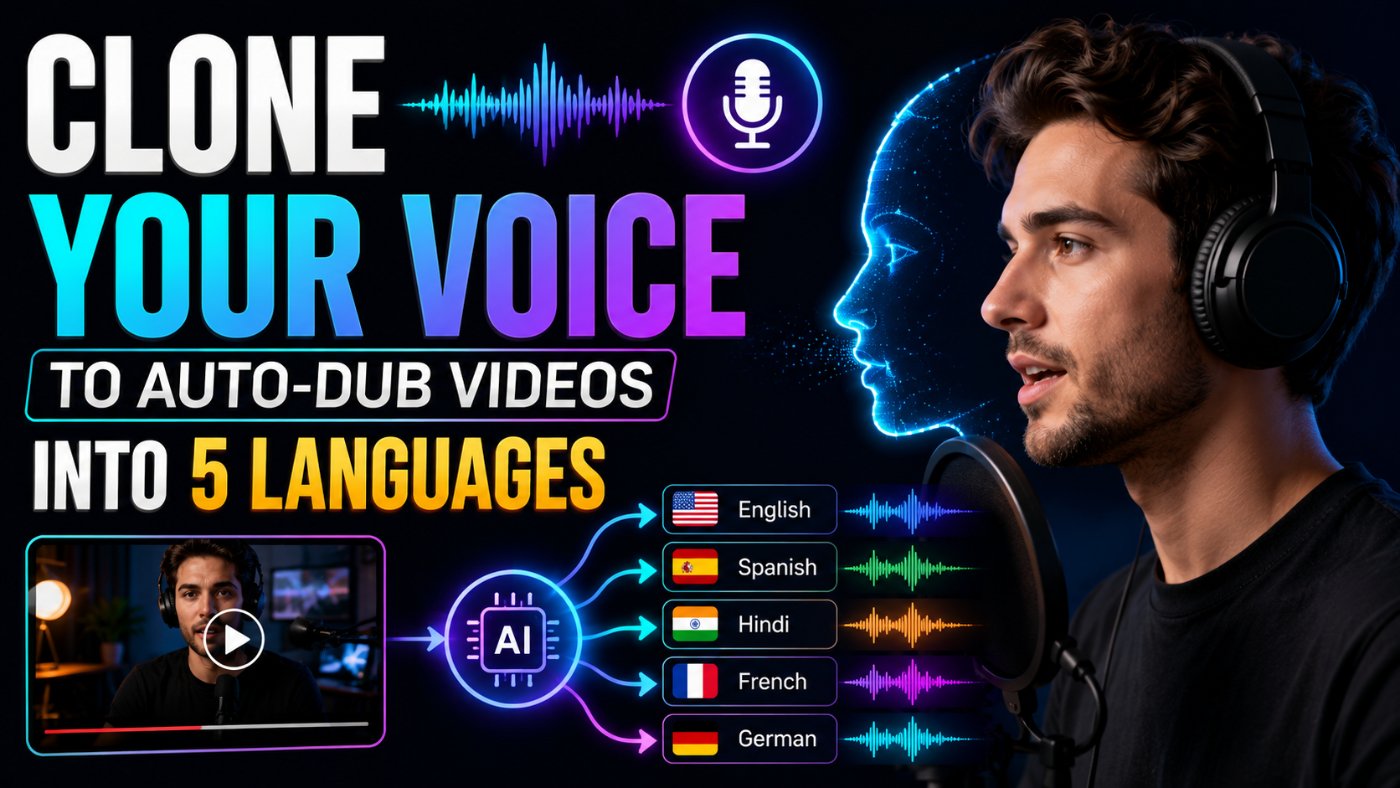
Clone Your Voice To Auto-Dub Videos Into 5 Languages
I put off dubbing my videos for over a year because I assumed it meant hiring five different voice actors and losing my own voice in the process. It does not. I clone my own voice once, and now every video I publish goes out in five languages within a day, still sounding like me. Here is the exact workflow.
What AI Voice Cloning For Dubbing Actually Involves
Voice cloning for dubbing has three separate layers: a cloned model of your voice, a translation pass that preserves how you actually talk, and a dubbing engine that times the new audio to match your original pacing and lip movement as closely as possible.
Here is what I got wrong the first time I tried this: I treated translation as a single step, a straight text conversion. That is why my first dubbed video in Spanish sounded stiff and overly formal, nothing like how I actually talk. The fix was adding a tone-preservation instruction to the translation prompt, which I will show you below. That one change made the biggest difference in the entire pipeline.
Step 1: Record A Clean Voice Sample
Every voice cloning tool needs a clean source sample, and the quality of that sample directly determines how natural your cloned voice sounds across every language afterward.
● Record at least 3 to 5 minutes of continuous speech, more is better, most tools recommend a minimum but perform noticeably better past 10 minutes.
● Use a quiet room with minimal echo, a closet full of clothes or a small carpeted room works better than a bare room with hard walls.
● Speak naturally, in your normal pacing and tone, not in a slow, deliberate "recording voice." The clone will replicate whatever energy you give it.
● Include some variation: a few sentences with excitement, a few flat and explanatory, a few asking questions. This gives the model more range to work with later.
Step 2: Clone Your Voice With AI
Once you upload your sample, most tools generate a voice model within minutes. The mistake I see people make here is testing the clone with generic text ("the quick brown fox") instead of testing with something close to what they will actually say on camera.
Voice Clone Test Script Prompt
Bad Prompt (what most people type)
Write a test sentence for my voice clone.
Good Prompt (adds structure and context)
Write a 3-sentence test script that sounds like a typical intro to my videos.
Expert Prompt (production-ready, fully specified)
Act as a script writer creating a voice clone test sample.
Task: Write a 6-sentence test script that mimics my natural speaking pattern: [PASTE 2-3 SENTENCES OF HOW YOU ACTUALLY TALK ON CAMERA].
Format: Include one excited sentence, one explanatory sentence, one question, one short punchy sentence, and two conversational transition sentences.
Constraints: Keep total length under 45 seconds when read aloud at a natural pace. Match my typical sentence length and filler patterns, not formal written English.
Tone: Match the tone of my sample exactly, do not formalize or clean up the phrasing.
What changed: The bad prompt produces one flat sentence with no range. The good prompt adds length and context but still gives generic phrasing. The expert prompt anchors the output to your actual speaking sample and forces variation across emotional registers, which is what actually reveals whether your clone handles excitement, questions, and pacing changes convincingly, not just a flat reading voice.
Step 3: Translate Your Script Without Losing Your Tone
This is the step that separates dubbing that sounds like you from dubbing that sounds like a corporate translation tool read your script out loud.
Translation Prompt For Dubbing
Bad Prompt (what most people type)
Translate this script to Spanish.
Good Prompt (adds structure and context)
Translate this script to Spanish, keeping a casual, conversational tone.
Expert Prompt (production-ready, fully specified)
Act as a localization specialist who dubs YouTube creator content, not a formal document translator.
Task: Translate the script below into [Spanish / French / German / Hindi / Portuguese], preserving my casual, direct speaking style.
Format: Output the translation as a numbered list matching the original sentence numbering, so timing stays aligned with the source audio.
Constraints: Do not formalize contractions or casual phrasing. Match approximate syllable count per sentence where possible so dubbed audio timing stays close to the original. Keep any brand names, product names, or English technical terms untranslated.
Tone: Casual, direct, first-person, exactly as informal as the source script.
Script:
[PASTE ORIGINAL SCRIPT HERE]
What changed: The bad prompt produces a technically correct but overly formal translation. The good prompt adds a tone instruction, which helps but does not solve timing. The expert prompt adds sentence-by-sentence alignment and syllable-count matching, which is the detail that actually keeps your dubbed audio from running long or short against the original video.
Step 4: Generate Dubbed Audio In 5 Languages
With your cloned voice model and aligned translations ready, generate the audio for each language separately rather than batch-processing all five at once, so you can review each one before moving to sync.
● Generate one language at a time and listen through fully before generating the next, catching a pronunciation issue early saves re-rendering later.
● Check numbers, brand names, and technical terms specifically, these are the most common places cloned voices mispronounce in a non-native language.
● If a tool offers an emotion or intensity setting, match it to your original delivery rather than using the default, flat setting.
Step 5: Sync Dubbed Audio To Video
Even with syllable-matched translation, dubbed audio rarely lines up perfectly with the original video on the first pass. Most modern dubbing tools include automatic lip-sync adjustment, but manual review still matters.
● Watch each dubbed version at full speed and at half speed, timing drift is much easier to spot at half speed.
● Check the first and last 5 seconds of each clip closely, that is where sync drift is most noticeable to viewers.
● If a tool offers automatic lip-sync (visual mouth movement adjustment), use it for close-up talking-head shots, it matters far less for voiceover-style b-roll footage.
Consent, Disclosure, and Ethical Guardrails
Voice cloning is powerful and it is also the exact technology behind voice-based scams and impersonation. Treat your own cloned voice model like a password, not a toy.
Consent and Disclosure Note
Only clone your own voice, or a voice you have explicit, documented permission to clone. Never clone a voice from a public figure, colleague, or family member without their direct consent.
Store your voice model access securely and revoke access from any tool or collaborator you no longer work with, a cloned voice model is a reusable asset that can be misused if it leaks.
Disclose that dubbed audio is AI-generated where your platform requires it, and check your platform's synthetic media policy before publishing dubbed content at scale.
Best AI Tools For Voice Cloning and Dubbing
I am not affiliated with any tool listed here. These are what I have actually used across the cloning, translation, and dubbing stages.
● A dedicated voice cloning platform for the initial voice model, look for one with clear consent verification steps, that is a good sign they take misuse seriously.
● An LLM (Claude Sonnet 4.6 or GPT-5) for the tone-preserving, sentence-aligned translation pass described in Step 3.
● An end-to-end AI dubbing tool that combines translation, voice cloning, and lip-sync in one pipeline if you want fewer manual handoffs between steps.
Copy-Paste Template: Full Voice Cloning Dubbing Pipeline
Use this exactly as written. Replace the [brackets] with your specifics.
Act as a localization specialist dubbing creator content, not a formal document translator.
Task: Translate the script below into [TARGET LANGUAGE], preserving my casual, direct speaking style, for use with a cloned voice dubbing tool.
Format: Numbered list matching the original sentence numbering, so dubbed audio timing stays aligned with the source video.
Constraints: Do not formalize contractions or casual phrasing. Match approximate syllable count per sentence. Keep brand names and technical terms untranslated.
Tone: Casual, direct, first-person, matching the informality of the source exactly.
Script:
[PASTE ORIGINAL SCRIPT HERE]
-- Role: Localization specialist for creator dubbing
-- Task: Sentence-aligned, tone-preserving translation for dubbing
-- Format: Numbered list matching source sentence order
-- Constraints: Syllable-matched timing, untranslated brand terms, casual tone preserved
-- Tone: Casual, direct, first-personSave this to your prompt library at promptailearning.com/prompts and swap the target language for each of your 5 dubbing passes.
Prompt Glossary
Voice cloning: The process of training an AI model on a sample of someone's voice so it can generate new speech in that same voice.
Sentence-aligned translation: A translation output structured to match the original script's sentence order and approximate length, used to keep dubbed audio timing close to the source.
Lip-sync adjustment: AI-driven adjustment of mouth movement in video to visually match newly dubbed audio in a different language.
Localization: Adapting content for a specific language and culture, which goes beyond direct translation to include tone, idioms, and formatting.
Timing drift: When dubbed audio gradually falls out of sync with the original video's pacing or visual cues over the length of a clip.
Recommended Blogs
If you found this useful, these posts go deeper on related topics:
● Best Claude AI Prompts 2026: 25+ Types With Examples
● Best ChatGPT Prompts 2026: 200+ With Real Examples
● The Guide to Agentic Prompts
Frequently Asked Questions
Can I clone my own voice for free?
Several AI voice tools offer limited free tiers for cloning a voice from a short sample, though longer samples, higher quality output, and multilingual dubbing usually require a paid plan.
How long does a voice sample need to be to clone a voice?
Most tools accept samples as short as 1 minute, but 3 to 5 minutes of clean, natural speech produces a noticeably more accurate and expressive clone, and past 10 minutes gives the model more emotional range to work with.
Does AI dubbing sound robotic?
Modern voice cloning tools produce natural-sounding results when given a good source sample and a tone-preserving translation, as described in Step 3. Flat or robotic results are usually caused by an overly formal translation, not the voice model itself.
Is it legal to clone your own voice for dubbing?
Cloning your own voice with your own consent is generally not a legal issue. Cloning someone else's voice without explicit permission raises both legal and ethical concerns, and should never be done without documented consent.
What languages work best for AI dubbing?
Major languages with large training datasets, such as Spanish, French, German, Portuguese, and Hindi, tend to produce the most natural results. Less common languages may have more limited voice model quality depending on the tool.
How do I keep dubbed audio in sync with my video?
Use sentence-aligned, syllable-matched translation before generating audio, then review each dubbed version at half speed and use a tool's automatic lip-sync feature for close-up talking-head shots.
Do I need to disclose that a video is AI-dubbed?
Increasingly, yes, depending on the platform. Check your platform's current synthetic and AI-generated content policy before publishing dubbed content at scale.
Can I dub into more than 5 languages with this workflow?
Yes, the workflow scales to any number of languages your cloning and dubbing tools support. Five is simply a practical starting point that covers a large share of a global audience without an overwhelming review workload.
References
● Anthropic Claude Documentation - Official model and API documentation
● Prompt AI Learning Prompt Library - 400+ free templates
Follow along on promptailearning.com for weekly guides on prompting, AI tools, and getting more out of every model.
EXPLORE MORE ON PROMPTAILEARNING.COM
STAY UPDATED WITH AI NEWS
Follow the full AI news series and never miss a story:
● Daily AI News - Top 5 Stories Every Morning
● Weekly AI Roundups - 15+ Stories Every Monday
● Monthly AI Recaps - Full Archive by Month
LEARN THE MODELS MAKING THESE HEADLINES
The models in today's news are only useful if you know how to prompt them well. Start here:
● Best Claude AI Prompts 2026 - 25+ Types With Examples
● Best ChatGPT Prompts 2026 - 200+ Real Examples
● Best Gemini AI Prompts 2026 - 100+ Templates
COMPARE THE MODELS
Not sure which model to use? These comparison pages give you the full picture:
● ChatGPT vs Claude - Full 2026 Comparison
● AI Models Directory - Compare 60+ LLMs, Image and Video Models
BUILD SKILLS THAT COMPOUND
Reading AI news is step one. Building skills with these models is step two:
● Free Prompt Library - 213+ Copy-Paste Templates
● Start Prompt Engineering - Free Course for All Levels
● The Guide to Agentic Prompts
● Coding Prompts for Developers - Production-Ready Templates
USE PROMPTS FOR THE NEWS TOPICS YOU READ ABOUT TODAY
Every story in today's post maps to a real use case. These prompt categories help you act on what you read:
● Business and Strategy Prompts - Analysis, Pitch Decks, OKRs
● Writing and Content Prompts - Emails, Case Studies, White Papers
● AI Knowledge Hub - Technical Blueprints and Career Guides
ABOUT THIS BLOG
promptailearning.com publishes free daily AI news, weekly roundups, monthly recaps, prompt guides, model comparisons, and course content for anyone who wants to get better at using AI. Written by Swatantra Verma. No paywalls, no fluff.
Connect With Us
● Email: contact@promptailearning.com
● Founder: Swatantra Verma on LinkedIn
● Co-Founder: Prateek Patel on LinkedIn
● Company LinkedIn: Prompt AI Learning
Company X: @promptailearnin